
Internal Link Audit: How to Find and Fix Internal Linking Issues (2026)
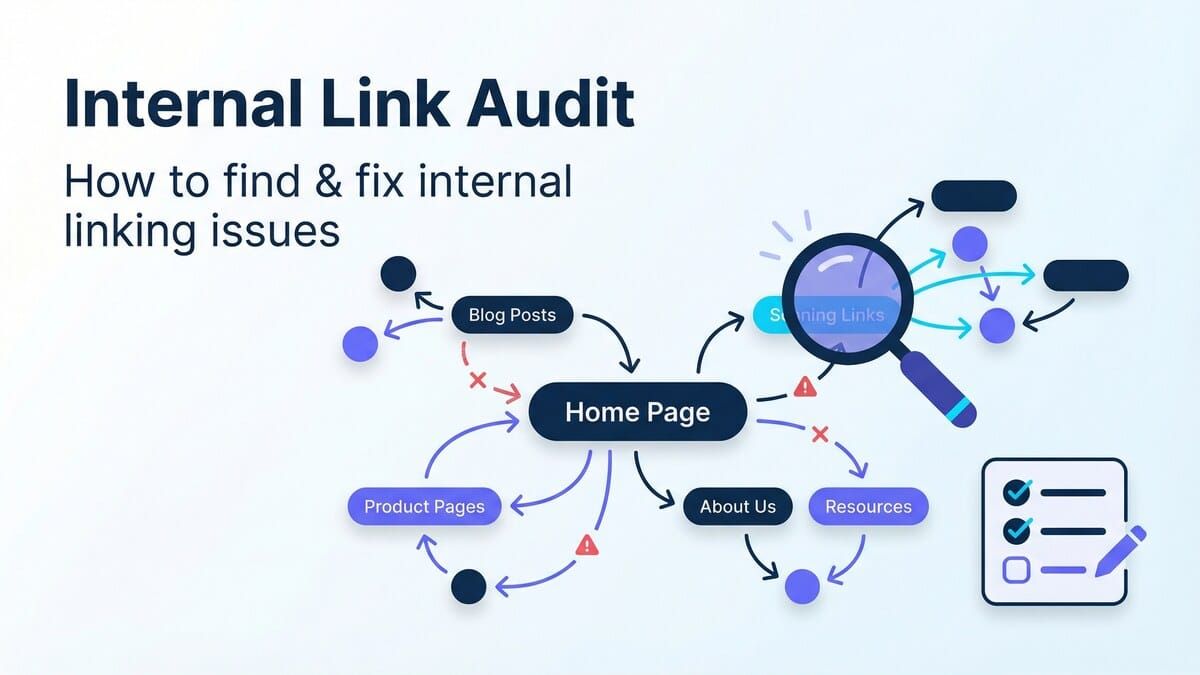
If you’ve ever wondered why solid content still won’t rank (or why new pages take forever to show up in Google), an internal linking problem is often the missing piece.
An internal link audit helps you find the pages that are:
- Orphaned (zero internal links pointing to them)
- Under-linked (important pages that barely receive link equity)
- Over-linked (pages with hundreds of links that dilute value)
- Broken or redirected (wasted crawl budget and poor UX)
- Anchored poorly (generic “click here” anchors or risky exact-match repetition)
This guide walks you through a practical, repeatable internal link audit process — and shows how to fix issues fast with a strategy-first approach (and automation when you need it).
What is an internal link audit?
An internal link audit is the process of collecting, analyzing, and improving the links between pages on your own site.
Unlike a backlink audit (external links), an internal link audit focuses on signals you fully control:
- How Google discovers your pages
- Which pages look “important” (based on internal link equity)
- How users navigate your site
- How efficiently your content is organized into topic clusters
If you’re building a strong internal linking foundation, start with the broader framework in our internal linking strategy guide — then use this audit process to operationalize it.
Why internal link audits matter (rankings, indexing, and revenue)
A good internal link structure does three things exceptionally well:
- Improves crawling + indexing by making new and updated pages easy to discover.
- Distributes authority from high-traffic/high-link pages to pages that need to rank.
- Moves users through your funnel by connecting informational pages to conversion pages.
If you want a quick “before you audit” snapshot, run a free internal linking report first (then audit what it reveals): Get your Linkbot internal link score.
The internal link audit checklist (quick overview)
Here’s the fastest way to understand whether your internal links are helping or hurting you:
- [ ] Crawl the site (or export internal link data)
- [ ] Find orphan pages (0 internal inlinks)
- [ ] Find pages with too few inlinks (especially money pages)
- [ ] Fix broken internal links (4xx) and redirect chains (3xx → 3xx)
- [ ] Check link depth (important pages should be within ~1–3 clicks of a hub)
- [ ] Review anchor text patterns (avoid repetitive exact-match anchors)
- [ ] Identify weak topic clusters (pages that should be linked together but aren’t)
- [ ] Re-crawl after fixes and track indexation improvements
Now let’s go step-by-step.
Step 1: Collect your internal link data (crawl + exports)
You can’t audit what you can’t measure. Start by collecting internal linking data in one of these ways:
Option A: Crawl your site (best for most audits)
A crawl tool like Screaming Frog or Sitebulb will typically give you:
- Inlinks (how many internal links point to each URL)
- Outlinks (how many internal links each page sends)
- Status codes (200/301/404)
- Canonicals, indexability flags, and more
Option B: Use Google Search Console internal link data (useful cross-check)
GSC’s “Links” report is not a complete map, but it’s still valuable for:
- Confirming which pages Google considers “most internally linked”
- Spotting important pages that should have more internal links
Option C: Use an internal linking tool (best for audits + fixes at scale)
If you have hundreds (or thousands) of pages, you’ll eventually hit the “analysis is easy, implementation is hard” wall.
Tools like Linkbot are designed to connect audit findings to action — especially for:
- Orphan page detection
- Link opportunity discovery
- Indexing support (see Priority Indexer)
Step 2: Find and fix orphan pages (0 internal links)
Orphan pages are pages with no internal links pointing to them.
Why they’re dangerous:
- Google may never discover them (or may de-prioritize them)
- They receive near-zero internal link equity
- Users can’t find them through navigation
How to identify orphan pages
Common approaches:
- Compare your XML sitemap URLs to your crawl data (sitemap URLs missing from the crawl are often orphaned)
- In your crawl export, filter for URLs with Inlinks = 0
How to fix orphan pages quickly
Pick a “parent” page that makes contextual sense and link from it:
- A category page
- A pillar page / hub
- A high-traffic related article
If you’re building clusters, link orphan pages into the cluster using descriptive anchor text (not a random footer link).
Step 3: Fix broken internal links and redirect chains (3xx/4xx)
Broken internal links waste crawl budget and frustrate users.
What to prioritize
- 4xx internal links (404/410): update the link target or remove the link.
- Redirect chains (301 → 301 → 200): update the link to point directly to the final 200 URL.
- Internal links to redirected URLs (single 301): also worth updating at scale.
Why this matters for SEO
- Crawlers can abandon long chains.
- Equity can be dampened across multiple hops.
- Users bounce when the journey feels broken.
If you’re doing a broader cleanup, pair this with a crawl depth review — deep pages are more likely to suffer from stale internal links.
Step 4: Audit internal link distribution (who gets the “votes”?)
Internal links are how your site “votes” for which pages matter.
A common problem: blog posts receive tons of internal links (navigation, archives, related posts), while commercial pages receive very few.
What to look for
- Important conversion pages with low inlinks
- New articles that never earned contextual links
- Content clusters that exist in strategy but not in implementation
Simple internal link targets (rules of thumb)
Every site is different, but these heuristics are useful:
- Key pages should have multiple contextual inlinks from relevant content.
- Important pages should be reachable in ~1–3 clicks from a hub (not buried 6 levels deep).
- Avoid “link dumps” (100+ links in a single post with no structure).
For a deeper structural approach, see: automatic internal linking.
Step 5: Review anchor text patterns (avoid over-optimization)
Anchor text is a relevance signal — but it can also become a liability if you repeat exact-match anchors unnaturally.
Healthy anchor text looks like:
- Descriptive anchors that match the reader’s intent
- Natural variation (partial match, branded, contextual phrases)
- Clear “what happens next” language
Risky anchor text looks like:
- Repeating the exact same keyword anchor site-wide
- Using generic anchors (“here”, “read more”) everywhere
- Over-linking a single keyword phrase to multiple different URLs (confuses Google)
A quick win: update anchors on your strongest pages to point to the page you actually want to rank.
Step 6: Identify internal linking opportunities (cluster gaps)
Once your site is clean (no broken links, fewer orphans), the biggest win is usually new contextual links.
Opportunity patterns to find
- Pages that target the same topic but don’t link to each other
- Posts that mention a term repeatedly but never link to a definition or hub
- “Money pages” that are never linked from informational content
The fastest way to create wins
- Pick 5–10 pages that drive traffic.
- Add 2–5 contextual links from those pages to high-priority pages.
- Re-crawl and monitor improvements (rankings + indexation).
If indexation is a pain point, Linkbot’s Priority Indexer is built for this exact workflow: boost discovery by inserting strategic internal links from pages Google already crawls often.
Step 7: Fix internal links at scale (manual vs automation)
Manual internal link updates are fine when you have:
- A small site (under ~50–100 pages)
- A clear set of priorities
- Time to edit content consistently
But for large libraries, the bottleneck becomes implementation.
That’s where automation helps:
- Discovering link opportunities across hundreds of pages
- Keeping internal links up to date as new content is published
- Ensuring important pages don’t stay under-linked for months
If you want the automation route, review Linkbot’s feature set (including Dynamic Funnel Links and indexing workflows) here: Linkbot pricing & plans.
Internal link audit template (issues → how to detect → how to fix)
| Issue | How to detect | Fix approach |
|---|---|---|
| Orphan pages | Sitemap URLs not in crawl, or Inlinks = 0 | Add contextual links from hubs + related posts |
| Under-linked money pages | Low inlinks for conversion URLs | Add links from high-traffic content + navigation hubs |
| Broken internal links | 4xx status codes in crawl | Update URLs, remove dead links |
| Redirect chains | 3xx → 3xx → 200 paths | Update links to final destination |
| Poor anchor text | Too many generic or repetitive anchors | Rewrite anchors for clarity + variation |
| Excessive links per page | Pages with 150+ internal links | Improve structure, move link lists to hubs |
FAQs: Internal link audits
How often should you do an internal link audit?
For most sites, a quarterly audit is enough — plus a lightweight monthly check for broken links and orphan pages (especially if you publish often).
What’s the #1 internal link audit mistake?
Auditing the site and exporting a spreadsheet… then never implementing fixes. Tie your audit to a plan:
- Fix technical link issues (broken + redirects)
- Fix visibility issues (orphan + under-linked pages)
- Build clusters (contextual links + hubs)
What’s the best internal link audit tool?
If you want a crawl-based audit, Screaming Frog is the standard. If you want to turn audit insights into ongoing improvements (link opportunities + indexation workflow), internal linking automation tools are typically faster.
How do internal links impact indexing?
Google discovers URLs primarily through links. If a page has few internal links — especially from pages Google already crawls often — it can take longer to be discovered and indexed.
Next steps
- Run a baseline report: Get your Linkbot internal link score
- Audit and fix the big three: orphan pages, broken links, under-linked priority pages
- Build cluster links into your editorial workflow so it stays fixed
If you want a deeper guide to executing internal linking as a system (not a one-time cleanup), start here: Internal Linking Strategy.