
Link Whisper vs Linkbot: Which Internal Linking Tool Is Right for You?
Compare Link Whisper and Linkbot to see which internal linking tool fits WordPress-only sites vs multi-CMS teams. Review features, pricing, and workflows.
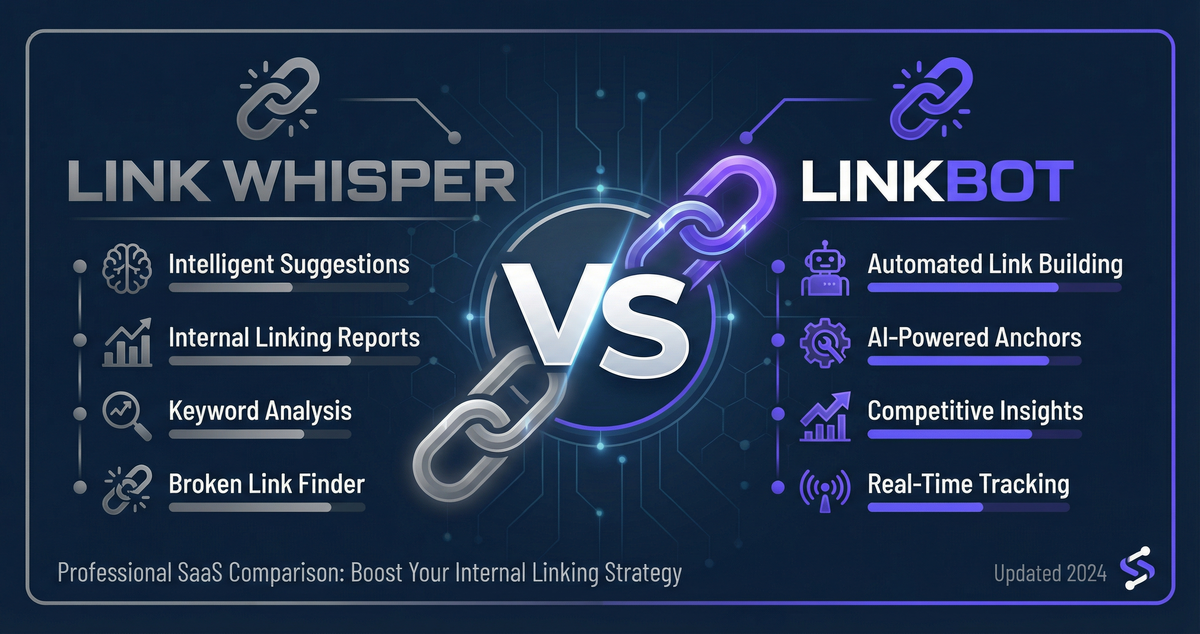
If you're serious about SEO, you already know that internal linking isn't optional—it's essential. Internal links help search engines understand your site structure, distribute link equity across pages, and guide users to related content. But manually adding internal links across hundreds (or thousands) of pages? That's a time sink no SEO professional or content team has room for.
That's where internal linking tools come in. Two of the most talked-about solutions in the space are Link Whisper and Linkbot. Both promise to automate and optimize your internal linking strategy, but they take very different approaches to the problem.
So which one is right for you? In this comprehensive comparison, we'll break down the features, pricing, strengths, and weaknesses of Link Whisper vs Linkbot to help you make an informed decision. Whether you're managing a single WordPress blog or overseeing SEO for multiple client sites, this guide will help you choose the tool that fits your workflow.
Why Internal Linking Matters for SEO (and Why You Need a Tool)
Before we dive into the head-to-head comparison, let's quickly establish why internal linking is so critical—and why automating it with a dedicated tool is a smart move.
The Role of Internal Links in Site Structure
Internal links create the architecture of your website. They: - Help search engines crawl and index your content more efficiently - Distribute link equity (also known as PageRank) from high-authority pages to newer or less-visible pages - Establish topical relationships between related content, signaling to Google what your site is about - Reduce orphan pages—pages with no internal links pointing to them, which often struggle to rank - Improve user experience by guiding visitors to related, helpful content
Google has been clear: internal linking is a foundational SEO practice. In fact, Google's John Mueller has stated that internal links are one of the "biggest signals" search engines use to understand your site. Audit your site's internal linking structure with our free tool to see how many orphan pages you have.
How Internal Linking Tools Save Time and Improve Accuracy
Manual internal linking is tedious, inconsistent, and prone to human error. You might: - Forget to link to a new page you just published - Overuse the same anchor text, triggering over-optimization penalties - Miss opportunities to link from high-authority pages - Struggle to identify contextually relevant link placements
Internal linking tools solve these problems by: - Automatically suggesting relevant links based on semantic analysis - Recommending natural anchor text that fits the context of your content - Scanning your entire site to identify orphan pages and link opportunities - Saving hours of manual work every week
Now that we've established the "why," let's dive into the "which."
Link Whisper vs Linkbot: At a Glance
Here's a high-level comparison of the two tools to give you a quick snapshot before we go deep.
| Feature | Link Whisper | Linkbot |
|---|---|---|
| Platform | WordPress plugin | Web-based + API |
| AI Link Suggestions | ✅ Yes (NLP-based) | ✅ Yes (semantic analysis) |
| Contextual Anchor Text | ✅ Yes | ✅ Yes |
| Bulk Interlinking | ✅ Yes | ✅ Yes |
| Topic Cluster / Silo Tools | ⚠️ Manual organization | ✅ Visual silo builder |
| Multi-Site Management | ⚠️ WordPress Multisite only | ✅ Centralized dashboard (any CMS) |
| Cross-CMS Support | ❌ WordPress only | ✅ Yes (WordPress, headless, static sites) |
| Reporting & Analytics | ⚠️ Basic (internal link reports) | ✅ Advanced (silo analysis, link equity tracking) |
| Ease of Use | ⚠️ Learning curve | ✅ Intuitive, modern UX |
| Pricing | $97–$247/year (annual subscription) | Free–$199/month (4 tiers: Starter free, Pro $19, Business $49, Agency $199) |
| Best For | WordPress-only sites, solo bloggers | Agencies, multi-CMS teams, scalable SEO workflows |
As you can see, both tools offer robust internal linking automation, but they differ significantly in scope, platform support, and intended audience. Let's break down each tool in detail.
What Is Link Whisper?
Link Whisper is a WordPress plugin designed to automate internal linking for WordPress sites. Launched in 2019, it quickly became one of the most popular internal linking tools in the WordPress ecosystem, thanks to its AI-powered link suggestions and ease of installation.
Key Features of Link Whisper
1. AI-Powered Link Suggestions Link Whisper uses natural language processing (NLP) to analyze your content and suggest relevant internal links. As you write or edit a post, Link Whisper scans your site and recommends pages to link to, along with suggested anchor text.
2. Contextual Anchor Placement Rather than forcing you to manually insert links, Link Whisper suggests anchor text that fits naturally into your existing sentences. This helps avoid awkward, over-optimized phrasing.
3. Bulk Link Creation Link Whisper allows you to add multiple internal links across your site in bulk—useful for retroactively linking older content to a new page you've just published.
4. Broken Link Detection The plugin scans your site for broken internal links and surfaces them for quick fixes.
5. Link Reports Link Whisper generates reports showing which pages have the most (or fewest) internal links, helping you identify orphan pages and over-linked content.
6. WordPress-Native Experience Because Link Whisper is a plugin, it integrates directly into the WordPress editor (Gutenberg and Classic). You don't need to leave your CMS to manage links.
Pricing: Link Whisper
Link Whisper offers three pricing tiers: - Starter: $97/year (1 site, annual subscription) - PRO: $167/year (3 sites, annual subscription) - BUSINESS: $247/year (10 sites, annual subscription)
Alternatively, you can pay annually at a lower upfront cost. Note that "lifetime updates" means you receive software updates indefinitely, but support is limited to one year unless you renew.
Pros and Cons of Link Whisper
Pros:
- ✅ Deep WordPress integration—works seamlessly within the editor
- ✅ AI-powered link suggestions save time and improve accuracy
- ✅ Annual subscription pricing (lower cost than monthly SaaS)
- ✅ Established tool with a large user base and active community
- ✅ Broken link detection is a nice bonus feature
Cons:
- ❌ WordPress-only—doesn't support other CMS platforms or static sites
- ❌ Limited multi-site management (requires WordPress Multisite setup)
- ❌ Dated user interface (plugin-based UI feels clunky compared to modern SaaS tools)
- ❌ No visual silo builder or advanced topic cluster tools
- ❌ Reporting is basic—lacks deeper analytics on link equity distribution or site structure health
Bottom line: Link Whisper is a solid choice for WordPress users who want a plugin-based solution with AI-powered link suggestions. However, its WordPress-only limitation and lack of advanced site structure tools make it less appealing for agencies or teams managing diverse tech stacks.
What Is Linkbot?
Linkbot is a web-based internal linking platform designed for SEO professionals, agencies, and teams managing multiple sites across different CMS platforms. Unlike Link Whisper, Linkbot isn't limited to WordPress—it works with any CMS or static site via API and browser extension integrations. Explore Linkbot's key features including the visual silo builder and advanced reporting to see how it compares to traditional plugin-based tools.
Key Features of Linkbot
1. Cross-CMS Support Linkbot works with WordPress, headless CMS platforms (like Contentful or Sanity), static site generators (Gatsby, Next.js), and even custom-built sites via API. This makes it ideal for agencies managing diverse client tech stacks.
2. Visual Silo Builder One of Linkbot's standout features is its visual silo builder, which lets you map out topic clusters and content hierarchies in a drag-and-drop interface. This makes planning and executing internal linking strategies far more intuitive than manually organizing links in a spreadsheet.
3. Semantic AI Link Suggestions Like Link Whisper, Linkbot uses AI to analyze content and suggest contextually relevant internal links. However, Linkbot's semantic analysis goes deeper, understanding topic relationships and suggesting links that reinforce topical authority.
4. Centralized Multi-Site Dashboard Linkbot's centralized dashboard lets you manage internal linking for multiple sites from a single interface. You don't need to log into each WordPress admin panel (or other CMS) separately—everything is accessible from one place.
5. Advanced Reporting & Analytics Linkbot provides detailed reports on link equity distribution, silo health, orphan pages, and internal link density. These insights help you identify structural weaknesses and optimize your site architecture over time.
6. Bulk Interlinking & Automation Linkbot allows you to create internal links in bulk, set up automated linking rules (e.g., "always link new blog posts to the pillar page"), and schedule link audits.
7. Modern, Intuitive UX Linkbot's interface is clean, fast, and designed for professional SEO workflows. The learning curve is minimal compared to plugin-based tools.
Pricing: Linkbot
Linkbot offers transparent, tiered pricing based on the number of sites and features you need: - STARTER: Free (up to 1,000 URLs, 1 site, no automated linking) - PRO: $19/month (5 sites, up to 1,000 URLs/site, automated linking + Priority Indexer) - BUSINESS: $49/month (10 sites, up to 10,000 URLs/site, + 5 team members) - AGENCY: $199/month (50 sites, up to 50,000 URLs, whitelabel + API access)
All plans include unlimited users, AI link suggestions, and access to the visual silo builder. A 14-day free trial is available (no credit card required).
Pros and Cons of Linkbot
Pros:
- ✅ Cross-CMS support—works with WordPress, headless CMS, static sites, and more
- ✅ Visual silo builder makes topic cluster planning intuitive and scalable
- ✅ Centralized dashboard for multi-site management (huge time-saver for agencies)
- ✅ Advanced reporting and analytics for deeper site structure insights
- ✅ Modern, fast, intuitive UX—feels like a SaaS product built for 2026
- ✅ Transparent pricing with no hidden fees or one-time payment confusion
Cons:
- ❌ Subscription-based pricing (no one-time payment option)
- ❌ Newer tool compared to Link Whisper (smaller user base, less community content)
- ❌ Requires a browser extension or API integration for non-WordPress sites (slight setup friction)
- ❌ Monthly cost can add up for solo bloggers managing just one site
Bottom line: Linkbot is the better choice for agencies, multi-CMS teams, and SEO professionals who need advanced site structure tools and centralized management. It's overkill for solo WordPress bloggers, but it's a game-changer for scaling internal linking across multiple clients or sites. Explore Linkbot's features and pricing.
Feature-by-Feature Comparison
Now let's go deeper on the specific features that matter most to SEO professionals.
Link Suggestion Quality (AI/NLP Capabilities)
Both tools use AI to suggest internal links, but there are subtle differences in how they approach the problem.
Link Whisper: Link Whisper's NLP engine analyzes the text of your content and suggests links based on keyword matches and semantic similarity. It's effective for finding relevant pages to link to, but it doesn't deeply understand topic relationships or content hierarchies. In practice, this means you'll get solid suggestions, but you may still need to manually curate links to ensure they reinforce your site's topical structure.
Linkbot: Linkbot's semantic AI goes a step further by understanding the topical relationships between pages, not just keyword matches. This means Linkbot can suggest links that reinforce topic clusters and content silos, helping you build a more cohesive site architecture. If you're serious about topical authority (and you should be), Linkbot's suggestions are more strategically aligned with modern SEO best practices.
Winner: Linkbot (for strategic, topic-aware linking)
Contextual Anchor Placement
Both tools excel at suggesting natural, contextual anchor text.
Link Whisper: Link Whisper suggests anchor text that fits naturally into your existing sentences. You can accept, edit, or reject suggestions as you write. The plugin integrates directly into the WordPress editor, so you can add links without leaving your post.
Linkbot: Linkbot also suggests natural anchor text, but it goes further by recommending diverse anchor text variations to avoid over-optimization. If you've been linking to the same page with the same anchor text across your site, Linkbot will flag it and suggest alternatives. This helps you stay on the right side of Google's over-optimization guidelines.
Winner: Linkbot (for anchor text diversity and over-optimization protection)
Bulk Interlinking and Automation
Both tools allow you to add internal links in bulk, but Linkbot's automation capabilities are more advanced.
Link Whisper: Link Whisper lets you add multiple internal links across your site in one go—useful for retroactively linking older content to a new page. However, bulk interlinking is a manual process; you need to review and approve each suggestion individually.
Linkbot: Linkbot offers automated linking rules. For example, you can set up a rule that says "always link new blog posts to the pillar page" or "automatically suggest internal links when a new page is published." This reduces manual work and ensures consistency across your site.
Winner: Linkbot (for automation and rule-based interlinking)
Topic Cluster and Silo Support
This is where the two tools diverge significantly.
Link Whisper: Link Whisper doesn't have built-in topic cluster or silo tools. If you want to organize your content into silos, you'll need to do it manually (likely in a spreadsheet or project management tool) and then use Link Whisper to execute the linking strategy. This works, but it's time-consuming and error-prone.
Linkbot: Linkbot's visual silo builder is a standout feature. You can drag and drop pages into topic clusters, define pillar pages and supporting content, and visualize your site's hierarchical structure. Linkbot then suggests internal links that reinforce your silo strategy. This makes planning and executing topic cluster strategies far more intuitive and scalable.
Winner: Linkbot (by a wide margin)
Multi-Site Management
If you manage more than one site, this is a critical consideration.
Link Whisper: Link Whisper supports WordPress Multisite, which allows you to manage multiple WordPress sites from a single installation. However, this requires a specific WordPress setup (Multisite), and it doesn't help if you're managing sites on different CMS platforms. You'll also need to purchase a higher-tier license to use Link Whisper on multiple sites.
Linkbot: Linkbot's centralized dashboard lets you manage internal linking for multiple sites (regardless of CMS) from a single interface. You don't need to log into each WordPress admin panel or CMS separately. This is a huge time-saver for agencies and in-house SEO teams managing client sites or multiple brands.
Winner: Linkbot (for true multi-site, multi-CMS management)
WordPress Plugin vs Web-Based Tool
This isn't necessarily a "better or worse" comparison—it's a matter of preference and use case.
Link Whisper: As a WordPress plugin, Link Whisper integrates directly into your WordPress editor. This is convenient if you spend most of your time in WordPress and prefer to manage links within the CMS. However, it also means you're locked into the WordPress ecosystem.
Linkbot: As a web-based tool, Linkbot is platform-agnostic. You can manage internal linking for WordPress, headless CMS, static sites, and custom-built platforms from a single interface. The tradeoff is that you need to install a browser extension or integrate via API, which adds a small setup step.
Winner: Tie (depends on your workflow and platform preference)
Reporting and Analytics
Both tools offer internal link reports, but Linkbot's analytics are more comprehensive.
Link Whisper: Link Whisper provides basic reports showing:
- Which pages have the most internal links
- Which pages have the fewest internal links (orphan pages)
- Broken internal links
These reports are useful, but they don't provide deeper insights into link equity distribution or site structure health.
Linkbot: Linkbot's reporting includes:
- Link equity distribution maps (which pages are receiving the most link equity)
- Silo health scores (how well your topic clusters are connected)
- Orphan page detection (pages with no internal links)
- Internal link density analysis (are you over-linking or under-linking?)
- Anchor text diversity reports (are you over-optimizing any keywords?)
These insights help you identify structural weaknesses and optimize your site architecture over time.
Winner: Linkbot (for advanced, actionable analytics)
Ease of Use and User Experience
Link Whisper: Link Whisper is relatively easy to use once installed, but the plugin-based interface feels dated compared to modern SaaS tools. Navigating between different sections of the plugin (link suggestions, reports, settings) can be clunky, and the learning curve is steeper than Linkbot.
Linkbot: Linkbot's interface is clean, fast, and designed for professional SEO workflows. The visual silo builder, centralized dashboard, and intuitive navigation make it easy to onboard new team members and execute complex linking strategies. The learning curve is minimal.
Winner: Linkbot (for modern UX and ease of use)
Pricing Comparison: Link Whisper vs Linkbot
Let's break down the pricing for both tools and assess value.
Link Whisper Pricing
- Starter: $97/year (1 site) - PRO: $167/year (3 sites) - BUSINESS: $247/year (10 sites)
Pros of Link Whisper pricing:
- Annual subscription pricing
- Annual updates and support included
- Lower annual cost for solo bloggers
Cons of Link Whisper pricing:
- Support is limited to one year (must renew for continued support)
- Pricing is not transparent for annual subscription options
- Multi-site licenses can get expensive quickly
Linkbot Pricing
Linkbot offers competitive, transparent pricing tiers. View Linkbot's detailed pricing to compare plans based on your number of sites and team size:
- STARTER: Free (up to 1,000 URLs, 1 site) - PRO: $19/month (5 sites, up to 1,000 URLs/site) - BUSINESS: $49/month (10 sites, up to 10,000 URLs/site)
Pros of Linkbot pricing:
- Transparent, tiered pricing (no hidden fees)
- All features included at every tier (no feature gating)
- Free 14-day trial (no credit card required)
- Unlimited users on all plans (great for agencies and teams)
Cons of Linkbot pricing:
- Subscription-based (no one-time payment option)
- Monthly cost adds up over time
Which Tool Offers Better Value?
For solo WordPress bloggers managing one site: Link Whisper's lower annual cost ($97/year) is more affordable if you're on a tight budget. However, Linkbot's advanced features (silo builder, reporting, automation) may justify the monthly cost if you're serious about scaling your SEO efforts.
For agencies and multi-site managers: Linkbot is the clear winner. The centralized dashboard, cross-CMS support, and advanced analytics save hours of manual work every week—easily justifying the monthly subscription cost. Link Whisper's multi-site licensing ($247 for 10 sites) is less flexible and doesn't offer the same level of scalability.
Winner: Linkbot (for agencies and scalable workflows) | Link Whisper (for budget-conscious solo bloggers)
Who Should Choose Link Whisper?
Link Whisper is the better choice if:
- ✅ You manage a WordPress-only site and have no plans to expand to other platforms
- ✅ You're a solo blogger or small site owner looking for affordable annual pricing
- ✅ You prefer a plugin-based tool that integrates directly into the WordPress editor
- ✅ You're comfortable with a basic internal linking tool and don't need advanced topic cluster or silo features
- ✅ You're already embedded in the WordPress ecosystem and don't need multi-CMS support
Example use case: You run a personal blog on WordPress with ~100 posts. You want AI-powered link suggestions to save time on manual interlinking, and you prefer predictable annual costs. Link Whisper is a solid fit.
Who Should Choose Linkbot?
Linkbot is the better choice if:
- ✅ You manage multiple sites across different CMS platforms (WordPress, headless, static sites, etc.)
- ✅ You're an agency or in-house SEO team managing client sites or multiple brands
- ✅ You want advanced topic cluster and silo tools to build topical authority
- ✅ You need a centralized dashboard to manage internal linking across sites without logging into each CMS separately
- ✅ You value modern UX and intuitive workflows over plugin-based tools
- ✅ You need advanced reporting and analytics to track link equity distribution and site structure health
Example use case: You're an SEO agency managing 10 client sites across WordPress, Webflow, and headless CMS platforms. You need a centralized tool to plan topic clusters, automate internal linking, and generate reports for clients. Linkbot is the clear choice.
Get started with Linkbot and streamline your internal linking workflow today.
Final Verdict: Link Whisper or Linkbot?
So, which tool should you choose?
If you're a solo WordPress blogger on a budget and you're comfortable with basic internal linking automation, Link Whisper is a solid, affordable choice. The annual subscription pricing and WordPress-native experience make it an accessible choice for WordPress purists who don't need advanced features.
If you're an agency, multi-site manager, or SEO professional looking for a scalable, modern internal linking solution, Linkbot is the better investment. The cross-CMS support, visual silo builder, centralized dashboard, and advanced analytics make it the most powerful internal linking tool on the market—and the monthly subscription cost is justified by the time it saves.
The bottom line: Both tools automate internal linking effectively, but they serve different audiences. Link Whisper is a WordPress-focused plugin for budget-conscious solo users. Linkbot is a professional-grade platform for agencies and teams managing complex SEO workflows.
If you're still unsure, take advantage of Linkbot's 14-day free trial to test it out (no credit card required). You can always fall back to Link Whisper if Linkbot doesn't fit your needs.
Frequently Asked Questions
Can I use both Link Whisper and Linkbot?
Yes, technically. If you manage WordPress sites with Linkbot and want the convenience of in-editor link suggestions via Link Whisper, you could use both tools in parallel. However, this adds unnecessary complexity and cost for most users. Choose the tool that best fits your workflow and stick with it.
Does Linkbot work with WordPress?
Yes. Linkbot supports WordPress via API and browser extension integrations. While it's not a native WordPress plugin like Link Whisper, it works seamlessly with WordPress sites and offers more advanced features (silo builder, centralized dashboard, cross-CMS support).
Which tool is better for large sites?
Linkbot is the clear winner for large, complex sites. Use Linkbot's internal link grader to analyze your site structure and identify optimization opportunities. Its advanced reporting, link equity tracking, and visual silo builder are specifically designed for managing large, complex sites with hundreds or thousands of pages. Link Whisper's reporting is more basic and doesn't provide the same level of structural insight.
Is Link Whisper worth the cost?
For WordPress-only users on a budget, yes. The annual subscription pricing ($97–$247/year) is affordable, and the AI-powered link suggestions save hours of manual work. However, if you need advanced features (multi-site management, cross-CMS support, silo tools), Linkbot is worth the additional monthly cost.
How does Linkbot handle multi-site management?
Linkbot's centralized dashboard lets you manage internal linking for multiple sites (across any CMS) from a single interface. You can switch between sites, run silo audits, generate reports, and execute bulk interlinking without logging into each CMS separately. This is a huge time-saver for agencies and in-house teams.
Ready to Choose Your Internal Linking Tool?
Both Link Whisper and Linkbot are powerful tools, but the right choice depends on your specific needs, workflow, and budget.
If you're a WordPress-only user looking for affordable annual pricing, try Link Whisper.
If you're an agency or multi-site manager looking for a modern, scalable internal linking platform, start your free 14-day trial of Linkbot today—no credit card required.
Whichever tool you choose, automating your internal linking strategy is one of the smartest investments you can make in your SEO workflow. Your future self (and your rankings) will thank you.
Related reading for internal linking workflows
If you are comparing tools, it helps to pair this article with a quick audit of where links are missing and where opportunities are piling up. Read How to Find Internal Link Opportunities in 2026 and then use the internal link checker to spot orphan pages, weak anchor coverage, and easy wins.
About the Author: This comparison was written by the Linkbot content team based on hands-on experience with both tools, user reviews, and industry best practices. We strive to provide balanced, accurate information to help you make informed decisions about your SEO stack.
Last Updated: March 2026