
Linkbot vs Interlinks Manager: Which Internal Linking Tool Is Right for You?
Linkbot vs Interlinks Manager: a side-by-side feature comparison to help you choose the right internal linking tool for your SEO workflow.
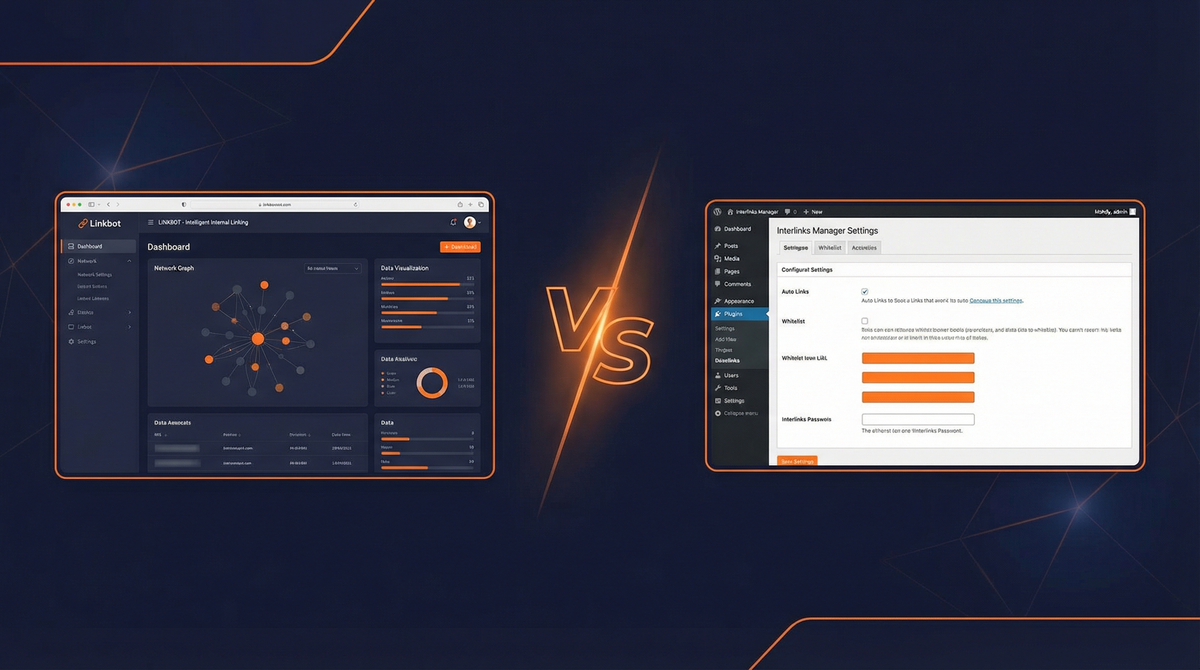
Linkbot vs Interlinks Manager: Which Internal Linking Tool Is Right for You?
Internal linking is the backbone of SEO site structure. It distributes link equity, helps search engines discover and index content, and guides users through your website. But manually managing internal links across dozens—or hundreds—of pages is time-consuming and error-prone.
That's where internal linking tools come in. Two options often compared are Linkbot and Interlinks Manager. Both automate internal link discovery and management, but they take fundamentally different approaches: Linkbot is a modern, cross-platform web-based tool built for agencies and multi-site managers, while Interlinks Manager is a WordPress plugin focused on analytics and manual optimization.
This guide breaks down the key differences, compares features side-by-side, and helps you decide which tool is best for your SEO workflow.
Why Internal Linking Matters for SEO (and Why You Need a Tool)
The Role of Internal Links in Site Structure
Internal links create the pathways search engines use to crawl and understand your site. They:
- Distribute link equity (PageRank) from high-authority pages to newer or less-linked content
- Establish topical relationships between related pages, helping search engines understand subject matter expertise
- Improve crawl efficiency by ensuring every page is discoverable within 3-4 clicks from the homepage
- Guide user navigation, reducing bounce rates and increasing pages per session
Without a deliberate internal linking strategy, you risk orphan pages (pages with no internal links), missed opportunities to reinforce key topics, and wasted link equity.
How Internal Linking Tools Save Time and Improve Accuracy
Manual internal linking works for small sites, but it breaks down at scale. Internal linking tools automate:
- Link discovery: Identify relevant pages to link based on keyword overlap, topic similarity, or content relationships
- Anchor text suggestions: Recommend natural, keyword-optimized anchor text
- Broken link detection: Flag 404 errors and redirect chains
- Orphan page identification: Surface pages with no internal links
- Link distribution analysis: Visualize which pages receive the most/least internal links
Tools like Linkbot and Interlinks Manager take different approaches to these problems—and that's where the comparison gets interesting.
Linkbot vs Interlinks Manager: At a Glance
| Feature | Linkbot | Interlinks Manager |
|---|---|---|
| Platform Support | WordPress, Shopify, Headless CMS, Static Sites | WordPress Only |
| Deployment | Web-based (cloud dashboard) | WordPress Plugin |
| Link Suggestions | AI-powered automation | Manual suggestions + analytics |
| Multi-Site Management | Centralized dashboard for all sites | Must log into each WordPress admin |
| Visual Silo Builder | Yes | No |
| Analytics & Click Tracking | Performance insights | Comprehensive analytics dashboard |
| Bulk Operations | Automated interlinking | Manual bulk operations |
| Pricing | Subscription (pricing tiers) | Free Lite + $39 one-time (Pro) |
| Best For | Agencies, cross-platform users, automation-focused SEOs | Budget-conscious WordPress users, analytics-heavy workflows |
What Is Interlinks Manager?
Interlinks Manager is a WordPress plugin developed by DAEXT that focuses on internal link monitoring, analytics, and manual optimization. It's designed for WordPress purists who want detailed reporting on their internal link structure and prefer hands-on control over link placement.
Key Features of Interlinks Manager
- Internal Link Monitoring: Track all internal links on your site, organized by source post, target post, and anchor text
- Click Tracking: Measure which internal links get clicked and how often (Pro feature)
- Bulk Link Operations: Manually add or remove links in bulk across multiple posts
- Broken Link Detection: Identify 404 errors and redirect chains in your internal link structure
- Analytics Dashboard: Visualize link distribution, most-linked pages, and orphan pages
- Anchor Text Analysis: Review anchor text usage and identify over-optimization
- CSV Export: Export internal link data for external analysis
Interlinks Manager is a reporting-first tool: it excels at showing you what's happening with your internal links, but it leaves optimization largely to you.
Pricing: Interlinks Manager (Free Lite + $39 Pro)
- Lite (Free): Basic internal link monitoring, limited to 100 monitored links
- Pro ($39 one-time): Unlimited links, click tracking, advanced analytics, priority support
The one-time payment model makes Interlinks Manager budget-friendly for individual site owners.
Pros and Cons of Interlinks Manager
Pros: - Affordable ($39 one-time for Pro) - Deep analytics and click tracking - Strong WordPress integration - Free Lite version for testing
Cons: - WordPress-only (no support for other platforms) - Manual optimization (limited automation) - No visual silo builder for planning - No centralized dashboard for multi-site management - Traditional WordPress plugin UI (less modern than web-based tools)
What Is Linkbot?
Linkbot is a cross-platform internal linking and indexation tool built for modern SEO workflows. It combines AI-powered link suggestions, automated interlinking, a visual silo builder, and a Priority Indexer that submits new and updated content to Google for faster indexing.
Linkbot is designed for agencies, multi-site managers, and SEOs who need automation and cross-platform support.
Key Features of Linkbot
- AI-Powered Link Suggestions: Automatically discover relevant internal linking opportunities based on content similarity and keyword overlap
- Priority Indexer: Submit URLs to Google for indexing automatically when content is published or updated
- Visual Silo Builder: Plan and visualize topic clusters and content silos before building links
- Cross-Platform Support: Works with WordPress, Shopify, headless CMS (Contentful, Sanity), and static sites
- Centralized Multi-Site Dashboard: Manage internal links for multiple sites from one dashboard
- Automated Interlinking: Set rules to automatically add internal links when new content is published
- Orphan Page Detection: Identify pages with no internal links and suggest linking opportunities
- Broken Link Monitoring: Detect and flag 404 errors and redirect chains
Linkbot is an automation-first tool: it helps you build a strong internal linking structure faster, with less manual work.
Pricing: Linkbot
Linkbot operates on a subscription model with multiple pricing tiers based on the number of sites and pages monitored. Visit linkbot.com/pricing for current pricing.
Pros and Cons of Linkbot
Pros: - Cross-platform (WordPress, Shopify, headless CMS, static sites) - AI-powered automation (less manual work) - Visual silo builder for content planning - Centralized dashboard for multi-site management - Modern, intuitive UI - Priority Indexer for faster indexing
Cons: - Subscription pricing (higher long-term cost than Interlinks Manager) - Less granular analytics than Interlinks Manager's click tracking - Newer tool (smaller user base than established WordPress plugins)
Feature-by-Feature Comparison
Link Suggestion Quality (AI/Automation Capabilities)
Interlinks Manager: Does not automatically suggest links. You must manually identify linking opportunities using the analytics dashboard (e.g., "Which pages link to this post?" or "Which posts have few internal links?"). Bulk operations help add links faster, but the strategy is still manual.
Linkbot: Uses AI to analyze content similarity, keyword overlap, and topical relationships to automatically suggest relevant internal links. You review and approve suggestions, or set rules to auto-link based on keywords or topics.
Winner: Linkbot — automation scales better, especially for large sites.
Analytics and Click Tracking
Interlinks Manager: Comprehensive analytics dashboard with click tracking (Pro). You can see which internal links get clicked, how often, and identify high-performing vs. underperforming links. Excellent for data-driven optimization.
Linkbot: Performance insights showing link distribution and orphan pages, but less granular than Interlinks Manager's click tracking. Linkbot prioritizes automation over detailed analytics.
Winner: Interlinks Manager — if analytics and click tracking are your priority, Interlinks Manager delivers more depth.
Bulk Interlinking and Automation
Interlinks Manager: Bulk operations allow you to add or remove links across multiple posts manually. You define the links; the tool applies them in bulk. No automated link suggestions or ongoing automation.
Linkbot: Fully automated interlinking. Set rules (e.g., "Auto-link new posts about SEO to the SEO pillar page") and Linkbot applies links automatically when new content is published. Less manual intervention required.
Winner: Linkbot — automation reduces ongoing maintenance and scales effortlessly.
Topic Cluster and Silo Support (Visual Silo Builder)
Interlinks Manager: No visual silo builder. You can analyze link distribution and identify related posts using the dashboard, but you must plan topic clusters externally (e.g., in a spreadsheet or Notion).
Linkbot: Built-in visual silo builder. Map out topic clusters, pillar pages, and cluster pages visually, then use Linkbot to automate interlinking within the cluster. Makes content planning and execution seamless.
Winner: Linkbot — the visual silo builder is a game-changer for planning and executing topic cluster strategies.
Multi-Site Management
Interlinks Manager: Each WordPress site needs its own plugin installation. You must log into each site's WordPress admin to manage internal links. No centralized dashboard.
Linkbot: Centralized dashboard for all sites. Add multiple sites (WordPress, Shopify, headless CMS, static) and manage internal links across all of them from one interface. Ideal for agencies managing multiple client sites.
Winner: Linkbot — centralized management saves significant time for multi-site users.
WordPress Plugin vs Web-Based Tool (Cross-Platform Support)
Interlinks Manager: WordPress plugin. Tightly integrated with WordPress, but limited to WordPress sites.
Linkbot: Web-based tool with integrations for WordPress, Shopify, headless CMS (Contentful, Sanity), and static sites. Platform-agnostic architecture future-proofs your internal linking workflow.
Winner: Linkbot — cross-platform support is essential for users managing diverse tech stacks.
Reporting and Analytics
Interlinks Manager: Detailed reporting on internal link structure, anchor text usage, link distribution, and click tracking. CSV export for external analysis. Best-in-class analytics for WordPress sites.
Linkbot: Performance insights and orphan page detection. Less granular than Interlinks Manager, but sufficient for most users focused on automation.
Winner: Interlinks Manager — for analytics-heavy workflows, Interlinks Manager provides more depth.
Ease of Use and User Experience
Interlinks Manager: Traditional WordPress plugin UI. Familiar to WordPress users, but interface is utilitarian—function over form.
Linkbot: Modern web-based UI with drag-and-drop silo builder, clean dashboard, and intuitive workflows. Designed for speed and simplicity.
Winner: Linkbot — modern UX reduces friction and makes internal linking faster.
Pricing Comparison: Linkbot vs Interlinks Manager
| Tool | Free Option | Paid Pricing | Payment Model |
|---|---|---|---|
| Interlinks Manager | Yes (Lite: 100 links) | $39 (Pro: unlimited) | One-time payment |
| Linkbot | 14-day free trial | Subscription (varies by tier) | Monthly/annual subscription |
Which Tool Offers Better Value?
Interlinks Manager wins on upfront affordability. The $39 one-time payment for Pro is hard to beat if you're managing a single WordPress site on a budget.
Linkbot offers better value for: - Agencies: Centralized management for multiple client sites saves hours per month - Cross-platform users: If you manage WordPress + Shopify + headless CMS sites, Linkbot is the only option - Automation-focused SEOs: Time saved by automation pays for the subscription quickly
Who Should Choose Interlinks Manager?
Interlinks Manager is the right choice if:
- You use WordPress exclusively and have no plans to expand to other platforms
- You prefer manual control over automated link suggestions and want deep analytics to guide your decisions
- Budget is a primary concern and you need a low-cost, one-time purchase option
- Click tracking is critical to your workflow (e.g., tracking internal navigation patterns for UX optimization)
- You manage 1-2 WordPress sites and don't need multi-site centralized management
Typical Interlinks Manager user: Solo blogger or small business owner running a WordPress site, comfortable with manual optimization, looking for affordable internal link analytics.
Who Should Choose Linkbot?
Linkbot is the right choice if:
- You manage multiple sites (especially across different platforms: WordPress, Shopify, headless CMS, static sites)
- You need automation to scale internal linking without manual maintenance
- You're building topic clusters and want a visual silo builder to plan and execute your content strategy
- You're an agency managing client sites and need centralized multi-site management
- You want faster indexing via Priority Indexer (automatic submission to Google when content is published)
- You prioritize modern UX and prefer web-based tools over traditional WordPress plugins
Typical Linkbot user: SEO agency, enterprise SEO team, or multi-site manager who values automation, cross-platform support, and modern workflow tools.
Final Verdict: Linkbot or Interlinks Manager?
Choose Interlinks Manager if:
- You run a single WordPress site
- You prefer manual optimization with detailed analytics
- Budget is your primary concern
- You want a one-time purchase option
Choose Linkbot if:
- You manage multiple sites (especially cross-platform)
- You need automation to scale internal linking
- You're building topic clusters and want visual planning tools
- You're an agency or manage client sites
- You want faster indexing via Priority Indexer
The Bottom Line
Interlinks Manager is a solid, budget-friendly option for WordPress purists who prioritize analytics and manual control. It's perfect for solo site owners who don't mind hands-on optimization.
Linkbot is the modern, scalable alternative for agencies, multi-site managers, and SEOs who need cross-platform support, automation, and centralized management. It's built for the complexity of modern SEO workflows.
If you're serious about scaling internal linking across multiple sites or platforms, Linkbot is the clear winner. If you're managing one WordPress site and want affordable analytics, Interlinks Manager is a smart choice.
Ready to automate internal linking and speed up indexing? Start your free 14-day trial of Linkbot →
Frequently Asked Questions
Can I use both Linkbot and Interlinks Manager?
Yes, you can run both tools simultaneously on a WordPress site. Interlinks Manager would handle analytics and click tracking, while Linkbot automates link suggestions and manages cross-platform sites. However, this setup is redundant for most users—pick the tool that best matches your primary workflow need (automation vs. analytics).
Does Linkbot work with WordPress?
Yes. Linkbot supports WordPress via a plugin integration. It also works with Shopify, headless CMS platforms (Contentful, Sanity), and static sites—making it the only option if you manage sites across multiple platforms.
Which tool is better for large sites (100+ pages)?
Linkbot. Automation scales better than manual optimization on large sites. Interlinks Manager provides excellent analytics, but manually implementing linking strategies across 100+ pages is time-consuming. Linkbot's AI-powered suggestions and automated interlinking handle scale effortlessly.
Is Interlinks Manager free?
Interlinks Manager offers a Lite version (free) limited to 100 monitored internal links. For unlimited links, click tracking, and advanced analytics, you need the Pro version ($39 one-time payment).
How does Linkbot handle multi-site management?
Linkbot provides a centralized dashboard where you can add multiple sites (WordPress, Shopify, headless CMS, etc.) and manage all internal links from one interface. No need to log into each site's admin panel. This is ideal for agencies managing client sites or organizations with multiple properties.
Which tool is better for agencies?
Linkbot. Centralized multi-site management, cross-platform support, automation, and modern UX make Linkbot the better fit for agencies. Interlinks Manager's per-site plugin installation and WordPress-only focus don't scale well for agencies managing diverse client tech stacks.
Conclusion: Choose the Right Tool for Your Workflow
Interlinks Manager and Linkbot serve different needs:
- Interlinks Manager is an analytics-focused WordPress plugin for budget-conscious users who prefer manual control
- Linkbot is a cross-platform automation tool for agencies, multi-site managers, and SEOs who need scalability
If you're managing one WordPress site and want affordable analytics, Interlinks Manager is a solid choice. If you're managing multiple sites, need automation, or work across platforms, Linkbot is the clear winner.
Linkbot is built for modern SEO teams managing multiple sites and platforms. Start your free trial today and see the difference →